- QUÉ
- Choosing where to spend a few relaxed hours in Tokyo? These four videos bring together different creators’ views of Shimokitazawa, Koenji, Kichijoji, and Yanaka–Nezu.
• Shimokitazawa — vintage shopping, cafés, and creative spaces such as Bonus Track.
• Koenji — shopping arcades, everyday shops, and plenty of food stops.
• Kichijoji — Inokashira Park, narrow alleys, and coffee breaks.
• Yanaka–Nezu — older streets, local snacks, neighborhood shops, and Nezu Shrine.
We chose one video for each area so you can compare both the places and the ways people spend time there. Browse the shops, linger over lunch, or leave room for a long walk—which sounds like your kind of Tokyo day?
Have a favorite video about one of these neighborhoods—or another Tokyo area worth comparing? Share it in the comments.
- NOTA DEL VÍDEO 1
- Shimokitazawa: Vintage Shops, Matcha & Café StopsTokyo Cheapo’s 15-minute guide brings together vintage shopping, matcha, cafés, and Bonus Track, with brief detours to nearby areas. There are ideas here for an afternoon of browsing, eating, and taking breaks.
Selected moments
00:36 — Matcha at Matcha Passport
04:58 — Exploring Bonus Track
06:24 — Vintage shopping
10:21 — Coffee
13:46 — Kitazawa Hachiman Shrine
Why we picked it
We chose this guide for its mix of shopping, food, and café stops—useful for deciding whether Shimokitazawa fits the kind of day you want.
- NOTA DEL VÍDEO 2
- Koenji: Shopping Streets, Doughnuts & Neighborhood EatsTabiEats spends a day in Koenji, moving between shrines, shopping streets, small shops, and food stops. The route includes PAL and Look shopping streets, with breaks for doughnuts, burgers, and coffee.
Places to look out for
PAL & Look — shopping streets and small shops
Floresta — doughnuts
Awajishima Burger — burgers
Monsta Sweets & Ojizo Coffee — coffee and sweets
Why we picked it
Everyday shops and lanes beneath the railway add another side to our neighborhood comparison. This guide is a useful choice if you like a walk with plenty of places to stop and eat.
- NOTA DEL VÍDEO 3
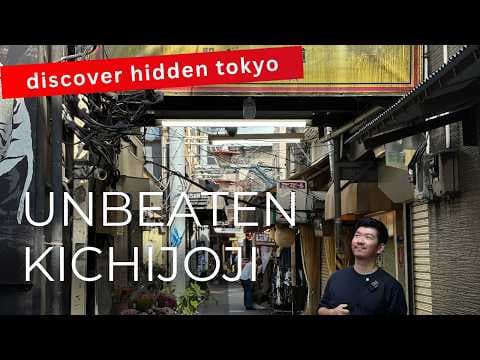
- Kichijoji: Park Walks, Small Alleys & Coffee BreaksThis walk with Tokyo Kenchan connects the narrow lanes of Harmonica Yokocho with Inokashira Park and café stops. The route also includes Musashino Hachimangu Shrine.
Places to look out for
Harmonica Yokocho — narrow alleys with small shops and bars
Inokashira Park — a walk around the pond
Musashino Hachimangu — a shrine stop
Tiny Ponta Coffee & Café Arg — places to pause for coffee
Why we picked it
The park brings time outdoors into our neighborhood comparison. Consider Kichijoji if your ideal afternoon includes exploring small streets, walking by the water, and settling into a café.
- NOTA DEL VÍDEO 4
- Yanaka & Nezu: Old Streets, Local Snacks & a Shrine WalkEnglish subtitles available.
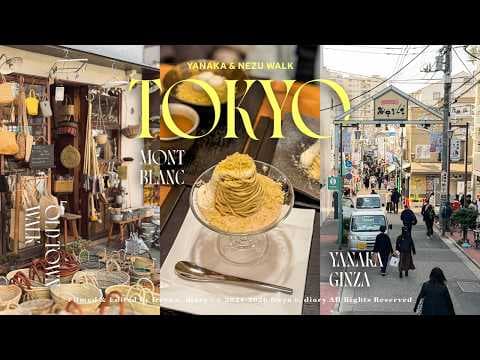
A walk with freya c. diary through Yanaka’s small shops and snack stops, including canelés, roasted sweet potatoes, and menchi-katsu. There’s a café break at Hagiso, a visit to Nezu Shrine, and Mont Blanc at Waguriya to finish.
Selected moments
00:34 — Yanaka Matsunoya
04:01 — Menchi-katsu at Niku no Suzuki
05:13 — Café break at Hagiso
07:55 — Nezu Shrine
11:20 — Mont Blanc at Waguriya
Why we picked it
We end the collection with neighborhood shops, snacks, and a shrine visit. Consider Yanaka–Nezu if you enjoy historic streets, browsing local shops, and stopping for something to eat along the way.

 JungleHuman05/10/2026
 1
 2
 3
 4
 1
 2
 3
 4